
Invoice automation is software that handles the full workflow of receiving, validating, routing, and approving invoices using predefined business rules, with minimal human involvement. If you've ever spent a Friday afternoon manually entering invoice data, chasing down approvals, or wondering why a client still hasn't paid, this technology directly solves those problems. Tools like NetSuite, IBM's invoice processing platform, and Salesforce-connected billing systems have made invoice processing automation accessible to businesses of every size. For freelancers and small business owners, the payoff is straightforward: less time on paperwork, faster payments, and better control over your cash flow.
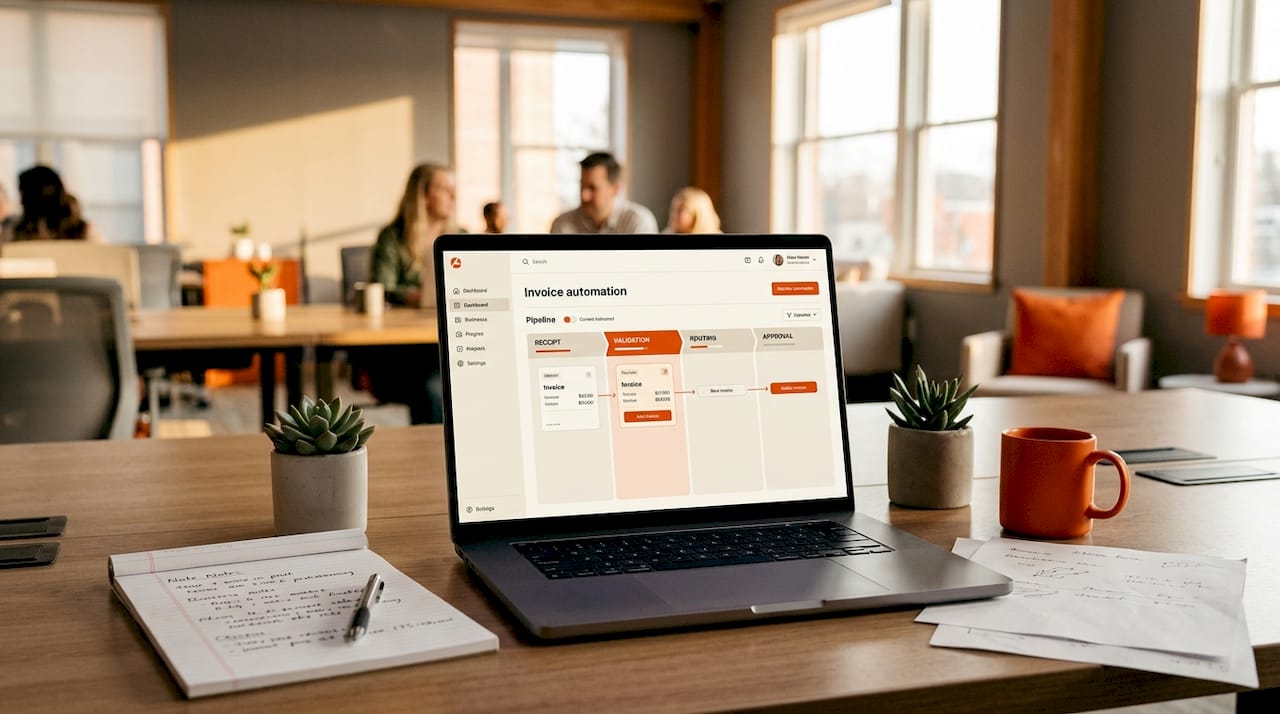
What is invoice automation and how does it work step by step?
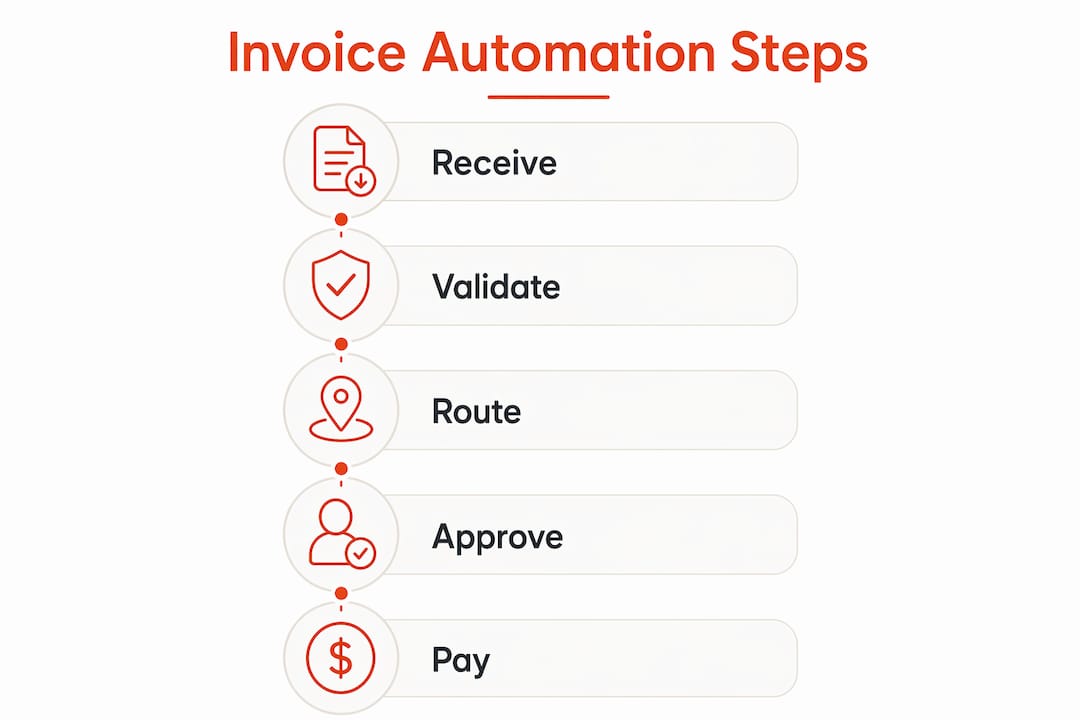
Invoice automation software handles the entire workflow from invoice receipt to payment approval, replacing manual steps with software-driven decisions. Here's how the process moves from start to finish.
Invoice receipt. Invoices arrive by email, supplier portal, EDI feed, or as scanned paper documents. The system captures them in one central location, so nothing gets lost in someone's inbox.
Data extraction. OCR and machine learning pull key fields from each invoice: vendor name, invoice number, line items, amounts, and due dates. AI-powered extraction handles different invoice layouts without requiring a separate template for each supplier.
Validation and matching. The system checks extracted data against your records. Three-way matching compares the invoice to the original purchase order and the goods receipt, confirming that what you ordered, received, and were billed for all align. Two-way matching skips the goods receipt step and works well for service-based businesses.
Business rules and routing. Invoices that pass validation and fall within your configured tolerance limits get approved automatically. Invoices with discrepancies get flagged and routed to the right person for review. These rules are set by you and can reflect your approval hierarchy, spending limits, or vendor-specific conditions.
ERP and accounting integration. Approved invoices post directly to your accounting system, whether that's QuickBooks, Xero, NetSuite, or another platform. Payment is triggered according to your terms, and the record is updated without anyone manually keying in data.
Payment and archiving. The system executes or queues payment, then archives the invoice with a full audit trail. Every step is logged, which makes reconciliation and audits much simpler.
Pro Tip: Before going live, spend time configuring your business rules and tolerance thresholds carefully. A tolerance set too tight creates a flood of exceptions. Too loose, and you risk approving invoices with real errors. Start conservative, then adjust based on your first few weeks of data.
What are the main benefits of invoice automation for business owners and freelancers?
Invoice automation reduces processing times and costs, improves cash flow management, and strengthens vendor relationships. Here's what that means in practice.
- Fewer errors. Manual data entry produces mistakes. Transposed numbers, wrong vendor codes, and missed line items all cause payment delays. Automated extraction and validation catch discrepancies before they become problems.
- Faster payment cycles. When invoices move through approval in hours instead of days, you get paid sooner. For freelancers, that directly cuts into the average 29-day wait that most independent professionals experience.
- Better cash flow visibility. You can see exactly which invoices are approved, pending, or overdue at any moment. That visibility lets you plan spending and avoid surprises.
- Stronger vendor and client relationships. Paying on time, every time, builds trust. For freelancers billing clients, sending professional invoices instantly and following up automatically signals that you run a tight operation.
- Scalability without extra headcount. A manual process that works for 20 invoices a month breaks down at 200. Automated invoice processing scales with your volume without adding administrative work.
- Higher job satisfaction. Removing repetitive data entry from your week frees up time for work that actually requires your judgment and expertise.
"The real value of invoice automation isn't just speed. It's the mental space you get back when you stop worrying about whether an invoice was received, approved, or paid."
Realistic touchless AP rates for SMEs sit between 60% and 80%, meaning the majority of invoices move from receipt to approval without anyone touching them. That number improves as your rules and supplier processes mature.
How does invoice automation compare with billing automation and accounts payable automation?
These three terms often get used interchangeably, but they describe different scopes of work. Understanding the distinction helps you pick the right tool and set realistic expectations.
Automated billing systems focus on generating invoices and managing outbound billing cadence. They handle recurring invoice creation, payment reminders, and collection from your customers. If you're a freelancer sending monthly retainer invoices, a billing system is what creates and delivers those invoices on schedule.
Invoice automation, by contrast, focuses on the inbound side. It's about receiving invoices from vendors or suppliers, extracting the data, validating it, and routing it for approval. The goal is to process what comes in, not generate what goes out.
Accounts payable automation covers the full payables cycle, including invoice capture, validation, approval, payment execution, and vendor communication. Invoice automation is often a subset of AP automation, handling the front end of that cycle before payment is triggered. System Primary focus Who it's for Payment execution Invoice automation Receiving, validating, approving invoices Businesses with vendor invoices No (hands off to AP) Automated billing Generating and sending invoices to customers Freelancers, SaaS, subscription businesses Sometimes (via payment links) Accounts payable automation Full payables cycle end to end Finance teams, larger SMEs Yes
For freelancers, the most relevant system is often a combination of automated billing (to send invoices) and light invoice processing (to track what clients owe). For business owners managing vendor relationships, invoice processing automation and AP automation become the priority.
How to choose and implement the right invoice automation tools
Picking the wrong tool wastes time and money. The right choice depends on your invoice volume, existing accounting setup, and how much configuration you're willing to manage.
Start by assessing your situation honestly:
- How many invoices do you process per month? Under 50 is a different problem than 500. Low-volume users often need a simple automated billing tool. High-volume operations need full invoice processing automation with OCR, matching, and ERP integration.
- What accounting system do you use? Confirm that any tool you evaluate connects natively to QuickBooks, Xero, NetSuite, or whichever platform you rely on. Integration gaps create manual work that defeats the purpose.
- Do you issue purchase orders? High touchless rates require formalized POs and accurate goods receipt recording. If your procurement process is informal, three-way matching won't work until you tighten it up.
- Cloud-based or on-premises? Cloud-based tools are faster to deploy and easier to maintain. On-premises solutions offer more control but require IT resources most freelancers and small businesses don't have.
When evaluating specific tools, look for these features:
- OCR accuracy rates and support for multiple invoice formats
- Configurable approval workflows and spending thresholds
- Exception management and escalation paths
- Audit trail and compliance reporting
- Mobile access for approvals on the go
Accurate OCR extraction is the foundation of the whole system. Poor document quality or weak extraction leads to high exception rates, which means more manual work, not less. Ask vendors for accuracy benchmarks on real-world invoice samples before committing.
When you're ready to implement, follow a staged approach. Formalize your purchase order process first. Centralize where invoices arrive, whether that's a dedicated email address or a supplier portal. Then pilot the system with a sample of invoices before processing everything through it.
Pro Tip: Run a pilot batch of 50 to 100 invoices before full deployment. Use the results to tune your matching tolerances and exception rules. What looks correct in theory often needs adjustment once real invoice data flows through the system.
When evaluating vendors, verify which parts of the invoice-to-pay lifecycle are truly automated versus just supported with better tools. Some platforms automate capture and validation but still require manual payment approval. Know exactly where the human steps remain.
Key takeaways
Invoice automation works best when OCR accuracy, well-configured business rules, and tight supplier processes combine to move invoices from receipt to approval without manual intervention. Point Details Core function Invoice automation receives, validates, routes, and approves invoices using predefined rules. Key technology OCR and AI-powered machine learning extract and validate invoice data accurately. Touchless rates Well-configured SME systems achieve 60–80% touchless approval rates. System distinctions Billing automation sends invoices out; invoice automation processes invoices coming in. Implementation priority Accurate OCR and formalized POs are prerequisites for high automation rates.
Why most freelancers underestimate what automation actually fixes
A lot of freelancers adopt invoicing tools and still end up chasing payments manually two months later. The tool isn't the problem — the workflow around it is. They automated the invoice creation step but left the follow-up, the approval nudge, and the payment confirmation entirely manual.
The real shift happens when you treat invoice automation as a system, not a feature. That means connecting proposal acceptance directly to invoice delivery, automating the follow-up sequence, and removing yourself from the loop entirely unless something genuinely needs your attention. Most people stop halfway and wonder why they're still stressed about cash flow.
It's also worth being honest about scale. A freelancer processing 15 invoices a month doesn't need three-way matching. You need a tool that sends the invoice the moment the project is confirmed and follows up automatically when the due date passes. That's exactly what Nvoyce is built to do — and at $19.99/mo, it's a fraction of what enterprise AP automation costs.
One more thing worth saying plainly: automation doesn't replace judgment. It removes the repetitive work so your judgment is reserved for decisions that actually matter. You still need to review exceptions and catch the occasional discrepancy that slips through. The goal is to make those moments rare, not to pretend they won't happen.
If you're still manually sending invoices and writing follow-up emails, you're not just losing time. You're losing the mental clarity that comes from knowing your billing runs itself.
— Nnamdi
How Nvoyce handles invoice automation for freelancers
If you're a freelancer or consultant ready to put your billing on autopilot, Nvoyce is built specifically for you.
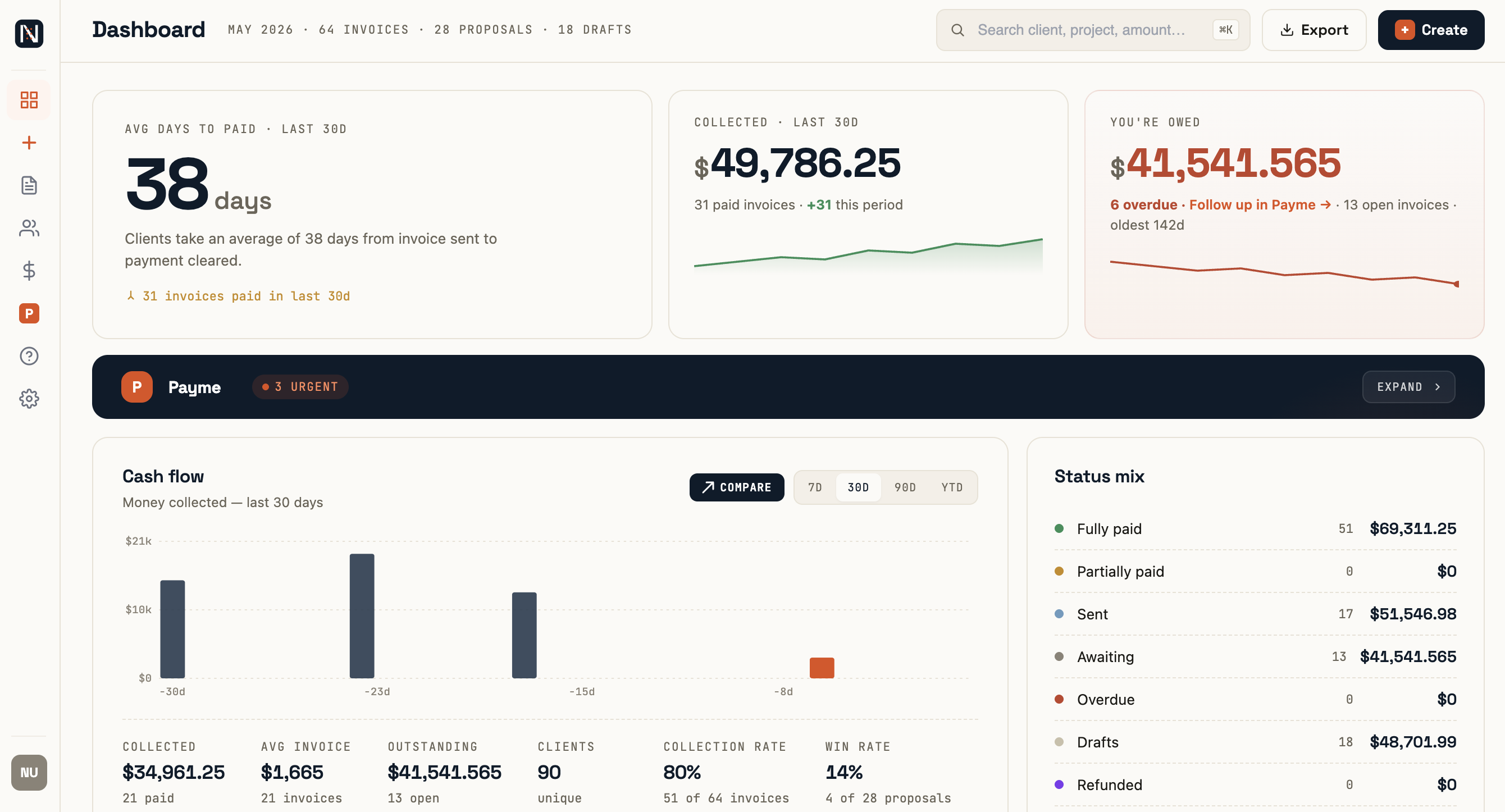
Nvoyce automates the full invoicing workflow from the moment a client accepts your proposal. The invoice and a Stripe payment link go straight to your client without you lifting a finger. Nvoyce's built-in Payme feature then handles follow-ups on unpaid invoices automatically — no more awkward reminder emails, no more chasing. The result is a tighter payment cycle, less administrative drag, and more time focused on the work you actually do. If the average freelancer waits 29 days to get paid, Nvoyce is designed to close that gap significantly. Try it free for 7 days at nvoyce.ai.
FAQ
What is invoice automation in simple terms?
Invoice automation is software that receives, checks, and approves invoices without manual data entry. It uses OCR and business rules to move invoices from receipt to payment approval automatically.
How does invoice automation work for freelancers?
For freelancers, invoice automation typically means sending invoices instantly when a project is confirmed and triggering automatic payment reminders when due dates pass. Nvoyce handles both steps without requiring any manual follow-up.
What is the difference between invoice automation and accounts payable automation?
Invoice automation covers the capture, validation, and approval of incoming invoices. Accounts payable automation extends further to include payment execution and vendor communications across the full payables cycle.
What are the main benefits of invoice automation?
The main benefits include fewer data entry errors, faster payment cycles, better cash flow visibility, and the ability to scale invoice volume without adding administrative work.
How do I choose the right invoice automation tool?
Start by matching the tool to your invoice volume and existing accounting system. Freelancers and small businesses typically need cloud-based billing automation with automatic follow-ups — that's exactly what Nvoyce is built for. Larger operations need OCR accuracy, three-way matching, and ERP integration.
Recommended
- Nvoyce — AI invoicing for freelancers
- AI Invoice Generator for Freelancers — How AI changes what invoicing looks like in practice
- How to Follow Up Unpaid Contractor Invoices — Escalation steps when polite reminders stop working